NATURALIZE
Naturalize AI Look.
Tone down plastic-looking texture and compare it with the source.
3 free edits per day. Sign in for 6 daily edits across photo tools.
Get 6 free edits daily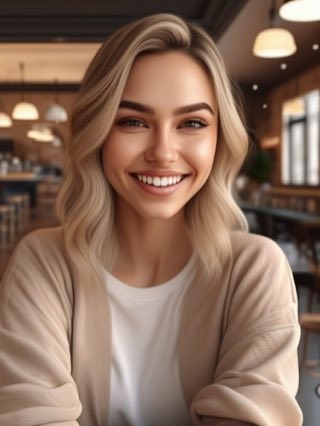 BEFORE
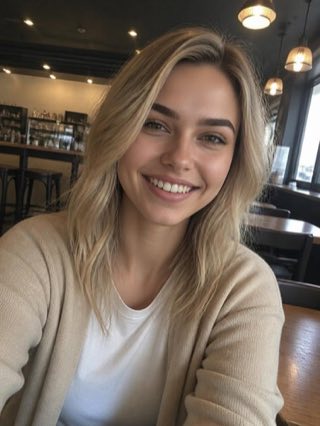 AFTER
AFTERChoose a photo
JPG or PNG · up to 12 MB · no brush or mask
Naturalizing your photo
Preparing the upload
Your result
How to naturalize an AI-looking image
Naturalize changes a synthetic-looking image into a more ordinary photographic result.
- Upload a photo. Choose a JPG or PNG up to 12 MB.
- Run Naturalize. The job changes the image through the Naturalize model.
- Download the result. Inspect the result before saving it.
FAQ
Does Naturalize preserve every pixel?
No. It is a generative transformation and can alter the image composition.
Which files does Naturalize accept?
JPG and PNG files up to 12 MB, one image per run.
What image sizes can I upload?
Upload one JPG or PNG up to 12 MB.
How do I check the output resolution?
The result shows your original width and height alongside the returned image dimensions. Check those numbers and inspect fine details at your intended display size; a larger image does not guarantee recovery of detail missing from the original.
Photos are sent to the Erase API and its image processor for this edit. Privacy · Terms