1
Upload your photo
Drop it on the upload box or click to browse. No sign-up needed.
Brush over it, hit Erase, download at full resolution. No sign-up, nothing added to your photo.
Brush over the complete watermark, including every edge.
Enhance, cut out, or naturalize — all share your daily free edits.


Daily free edits · Pro uses no credits
Sharpen and upscale a blurry, low-res shot into a crisp high-resolution photo.


Daily free edits · Pro uses no credits
Cut out the subject and download a clean transparent PNG.


Daily free edits · Pro uses no credits
Tone down the plastic AI-generated look until it reads like a real photo.
Four steps, no account, and the download is yours at full resolution.
Drop it on the upload box or click to browse. No sign-up needed.
Pick Watermark, Object, People or Text, then paint the area. Undo, redo and zoom as you go.
The AI reads your photo, erases the selection and rebuilds the detail behind it.
Compare before and after, then download. Nothing is added to your photo.
Brush over a mark on a photo you own or have permission to edit. Review the repaired area before downloading.
One brush, one Erase — these are the things people clear most. Each available page uses the same focused workflow.
Tiled sample marks or a single corner stamp — on photos you have the rights to edit.
Remove watermark →Strangers wandering through the background of your travel shots.
Remove person from photo →Power lines, bins, signs and scaffolding — brush over them and go.
Open the Object tool →Logos on images you own or are licensed to edit.
Remove logo from image →Small scratches, dust, and marks you can inspect after repair.
Restore an old photo →No mockups — each pair below is a real edit made with the same Erase button you get.
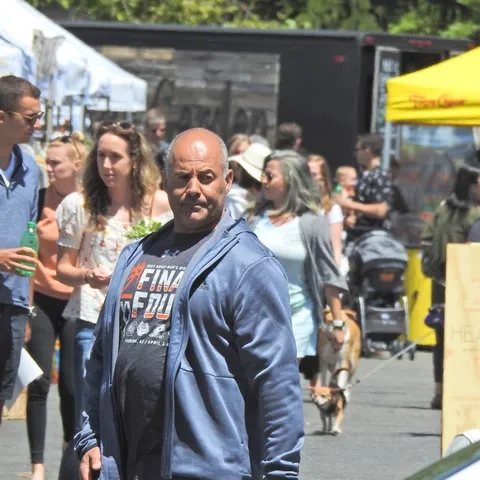
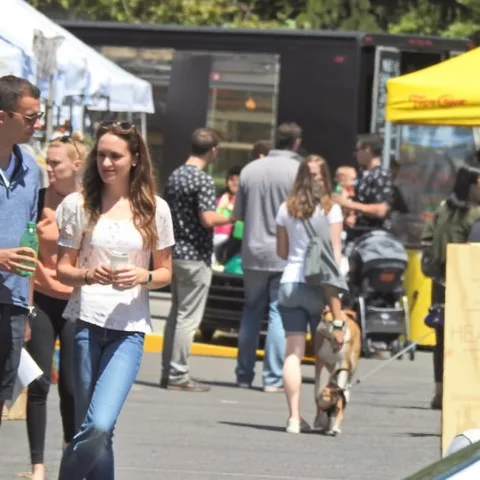
The man in blue — gone. Pavement and passers-by fill the space left behind.
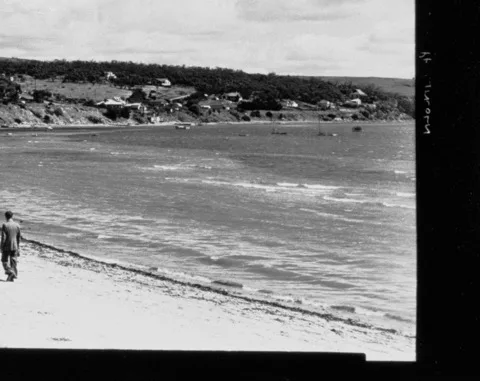
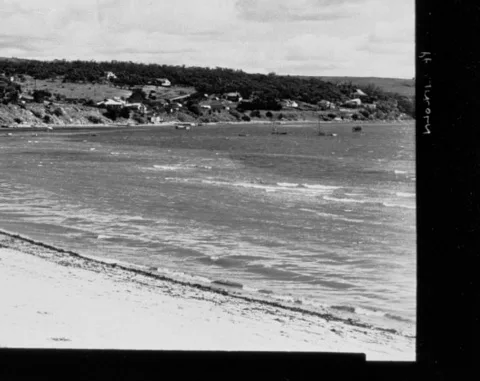
The walker on the beach — gone. Sand and mist fill the space left behind.
Daily free edits are shared across all photo tools: 3 without an account, or 6 when signed in.
Watermarks, people, objects and logos — brush over the target and erase it.
Sharpen, upscale and bring old or blurry photos back to life.
Cut the subject out onto a clean transparent or white background.
3 free edits a day without an account, and 6 a day with a free account. The counter next to the upload box always shows what you have left today.
No. Drop a photo and erase — no sign-up or email required. A quick human verification may appear. A free account simply doubles your daily quota.
No. We never add a watermark, logo or any other mark to your photo.
Yes — the removal tools return your photo at its original resolution. The enhancer goes the other way and upscales up to 4× the input size.
JPG and PNG photos up to 12 MB.
It is uploaded over HTTPS and processed by our AI service to produce your result. Your photos stay yours.
Only edit images you own or have permission to edit. Removing watermarks from copyrighted material you have no rights to isn’t allowed — see “What it can and can’t do” below.
Yes — the same brush clears bins, cables and signs. It runs as an AI object remover free of charge inside your daily edits, so there is no separate tool to open.
Processing time depends on the photo and selection. Keep this page open while the edit runs; larger or more complex photos can take a few minutes.
Yes. This watermark eraser fills your brushed selection from the surrounding photo. Complex backgrounds can show visible repairs.
Yes. Use 3 edits a day without an account or 6 with a free account. Your allowance is shared across all tools.
You can remove a watermark online in your browser within the daily free allowance. There is no download or sign-up required to try it.
Strangers and passers-by, shadow included.
Marks on images you own or may edit.
Scratches, dust and creases on a scanned print.
Sharpen a blurry photo and upscale it.
A larger, clearer copy of the same shot.
A clean transparent cutout.
Give polished AI images a more natural photo texture. Review the result before saving: details and composition may change.
Brush over unwanted text, then let Erase fill the area from the surrounding photo. Use images you own or have permission to edit.
Remove the background from a photo and download a transparent PNG. Works best when the subject stands out clearly.